
Website downtime is one of those silent business killers we don’t talk about enough. One minute your website works perfectly, and the next, customers can’t reach you, sales slip away, and trust slowly fades.
In today’s fast-paced digital world, especially as we move into 2026, every second your site stays offline affects your growth, revenue, and brand reputation.
This guide breaks down what website downtime is, what really causes it, and the practical steps you can take to keep your website running smoothly around the clock.
If staying online and ahead of your competitors matters to you, then you’re in the right place.
What is Website Downtime?
Table of Contents
Website Downtime is a period when a website is unavailable online or doesn’t function well enough for end users to complete a task. When a site goes down, it may experience a decrease in organic traffic or even removal from the Google index.
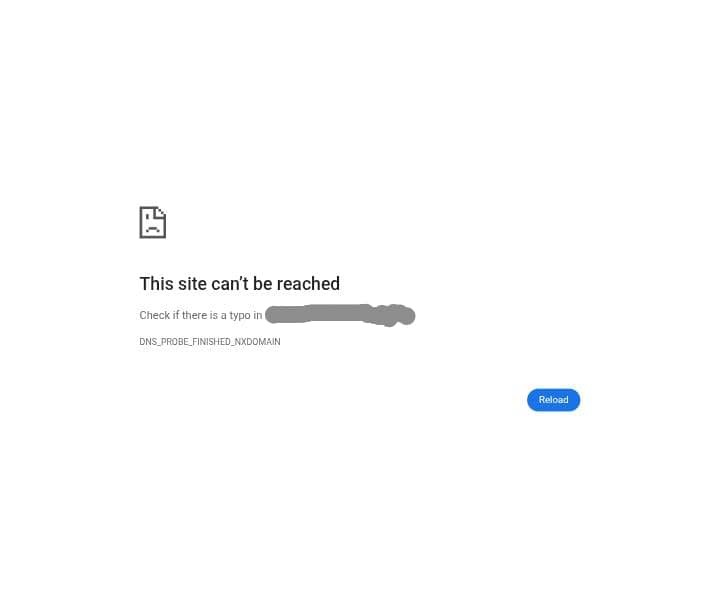
Website Downtime is the digital version of NEPA outage. It is also similar to your physical store being shut, doors locked, making it impossible for you to make sales or receive customers.
While website downtime can be subjective, the core issue is that your website functionality is not at its peak. It might be as simple as your About page not loading while the home page is opening, or the service page not responding, whereas the other pages are functioning. Again, poor performance can also fall into the category of downtime, especially if it affects the end users’ ability to achieve their goal.
Website Downtime can be caused by several factors, which we’ll discuss now.
Causes of Website Downtime
There are several reasons a website can be down, and they include the following;
- Human Error
- Software incompatibility
- Poor Security
- Hosting and Hardware Issues
- Scheduled Maintenance
Human Error
If we’re being honest, we’ll remember that people make mistakes all the time. In this case, the consequence is usually dire and loud. One of the most common causes of Website Downtime is human Error. Whether it is accidentally deleting critical files, modifying server settings incorrectly, or updating the wrong environment, they can cause website downtime.
According to a data survey by Veriflow, 75-97% of site outages can be caused by human error.
Although downtime caused by human error can be frustrating, it is also the easiest to fix once the problem has been located.
Software Incompatibility
Implementing new plugins, themes, or any piece of new software happens regularly on a website from time to time. However, even a small software or plugin implementation can cause a website to go down. The reason is that there might be an incompatibility between the two codes.
When two plugins or scripts interfere with each other, your entire website can break, or your server can overwork itself trying to process conflicting commands.
Poor Security
Website attacks are still on the rise and are a significant cause of Website Downtime. A malicious attack from cyber criminals can easily bring down any unprotected website.
Hackers frequently target websites using DDoS attacks, brute-force attacks, malware injection, or ransomware attempts.
These attacks can overwhelm or corrupt your site, making it inaccessible.
Distributed Denial of Service(DDoS) attacks can bring down even the largest websites by simply overwhelming the servers with an unreasonable number of requests. Due to these kinds of attacks, it is essential to have robust protection for your website.
Hosting and Hardware Issues
Website hosting refers to the location where your website resides, and most of the time, it is not the only site that lives there. This is a common cause of website downtime.
Although you can get decent hosting packages these days for a reasonable price, it doesn’t mean it’s all flawless.
If you’re using a shared housing platform, your site may be affected due to an increased traffic spike.
The problem isn’t always from your website at all. Hosting companies can experience:
- Data center outages
- Power failures
- Network issues
- Maintenance errors
If they go down, your site goes down. Physical server components such as hard drives, power units, or network cards can also fail unexpectedly, especially on older infrastructure, which can cause your site to go offline.
Scheduled Maintenance
This is a common cause of website downtime.
It is a planned downtime that happens when your hosting provider or website team intentionally takes the site offline to perform updates, upgrades, or fixes.
This may include server maintenance, software updates, security patches, database optimisation, or major feature changes.
Although it temporarily makes the site unavailable, it’s necessary for keeping your website secure, stable, and fast. Most providers perform maintenance during low-traffic hours to minimise disruption.
However, when communicated properly to users, scheduled maintenance helps prevent unexpected outages later and ensures the site continues to run smoothly. It’s a controlled pause that protects your long-term website performance.
7 Ways to Prevent Website Downtime
Keeping your website online shouldn’t feel like a gamble. I’ve seen small brands lose customers simply because their website froze during peak traffic, and I’ve also watched businesses grow effortlessly because their site stayed strong through every spike. To ensure your website remains reliable in 2026, consider implementing these practical steps.
1. Choose a Reliable Hosting Provider
Your hosting provider is the “home” your website lives in, so choosing the wrong one is like building a mansion on weak soil. We once worked with a client who kept blaming her designer for a slow site. It turns out her hosting provider struggled to handle even basic traffic. When she upgraded to a reputable host with uptime guarantees and scalable resources, the problem disappeared.
Look for providers that offer;
- 99.9% or higher uptime guarantees
- NVMe or SSD servers
- Strong customer support
- Automatic backups and security layers
If your website is your business, don’t go for the cheapest option; go for the option that protects your profit.
2. Implement Website Monitoring Tools
Website downtime often happens quietly, and many owners don’t notice until customers start complaining. Uptime monitoring tools solve this problem by tracking your website 24/7 and sending instant alerts when issues arise.
Think of it like having a night guard watching your site while you sleep. These tools also track response times and performance trends, so you can fix small issues before they grow into full-outages.
3. Use a Content Delivery Network
Imagine your website visitors scattered across the world. A CDN brings your content closer to each person by storing copies of your site on multiple servers globally. This reduces load on your main server and protects you during traffic spikes.
When visitors access your site, they connect to the server closest to them. This reduces server strain, latency, and crash risks during traffic spikes.
I’ve seen sites triple their speed just by activating a CDN. It’s one of the simplest but most powerful ways to keep your website stable, fast, and available.
4. Strengthen Cybersecurity
Cyberattacks are now one of the fastest-growing causes of downtime. Hackers don’t need to “break” your site; sometimes they overwhelm it with traffic until it crashes. This makes cybersecurity not just a technical checkbox, but a business survival strategy.
Install a web application firewall (WAF), activate DDoS protection, enforce strong passwords, and use two-factor authentication. These steps build a protective shield around your site so it doesn’t collapse under attack.
5. Optimize Website Performance
A slow, overloaded website becomes unstable very quickly. Performance optimization helps your server run efficiently, even during busy periods.
Ensure that you focus on;
- Compressing large images
- Reducing heavy scripts
- Enabling caching
- Cleaning up your database
- Using lightweight themes
You’ll notice the difference immediately. Fast websites don’t just improve user experience; they also reduce the risk of downtime during traffic surges.
6. Choose Trusted Plugins and Themes
As we mentioned, choosing a reliable hosting provider and selecting trusted plugins and themes will also help you minimize website downtime.
Plugins and themes can either support your site or break it. Poorly coded or outdated add-ons cause conflicts that lead to downtime.
Therefore, before installing anything, check for:
Frequent updates: If a plugin or theme has a record of active updates, it means it is actively maintained.
Strong user reviews: Choose plugins with a high number of positive reviews and ratings.
Compatibility with your current CMS version: Choose a plugin that is compatible with your current CMS version to avoid downtime during installation due to incompatibility.
Active developer support: Choose plugins and themes that have active developer support or communities to ensure issues are addressed promptly.
A large installation base: A plugin with an installation number between 10000 and 100000 indicates that it is a quality plugin. So, choose plugins with a high number of installations.
Avoid plugins that look abandoned or have a reputation for bugs.
Frequently Asked Questions(FAQ)
- What is the downtime of a website?
The downtime of a website is a time when the site is offline, and users can’t access the functionalities of site.
- How does Website Downtime affect your business growth and bottom line?
During a website downtime, customers can’t use your site, make orders or get information. This results in lost sales, reduced customer trust, lower SEO rankings, and missed growth opportunities.
- What do you do when a website goes down?
When your website goes down, immediately check your hosting status, run uptime diagnostics, clear caches, and contact support if the issue persists.
- What are the 2 types of website downtime?
The two types of website downtime are planned downtime which is scheduled maintenance and unplanned downtime (unexpected failures or errors).
- How can you avoid downtime?
You can avoid downtime by using reliable hosting, strong security, website monitoring, regular updates, and performance optimization.